ProVendas
Sales orders on the phone, even without internet.
An offline-first sales force app for Progete's clients: catalog, customers and orders on the device, with its own sync to the ProFinanças ERP.
- Client
- Progete
- Year
- 2025-2026
- My role
- Architecture, offline layer, sync and most of the screens; builds, releases and Expo upgrades.
- Platforms
- iOS, Android
In action
Worth calling out
Truly offline
Catalog, cart and orders work without a connection after the first sign-in.
Custom sync
Orders made offline go up when the connection returns, with nothing duplicated or lost.
Fast even without signal
Data stays on the device and screens open instantly, with or without internet.
Multi-company
One app serves each Progete client with its own data and rules.
The problem
Sales reps at companies that use the ProFinanças ERP spend the day on the road visiting customers, often without signal. Taking an order can't depend on having a connection at that moment.
At the same time, the order has to reach the ERP correctly, with the right price list, discount and customer, and without duplicating anything when the internet comes back.
The solution
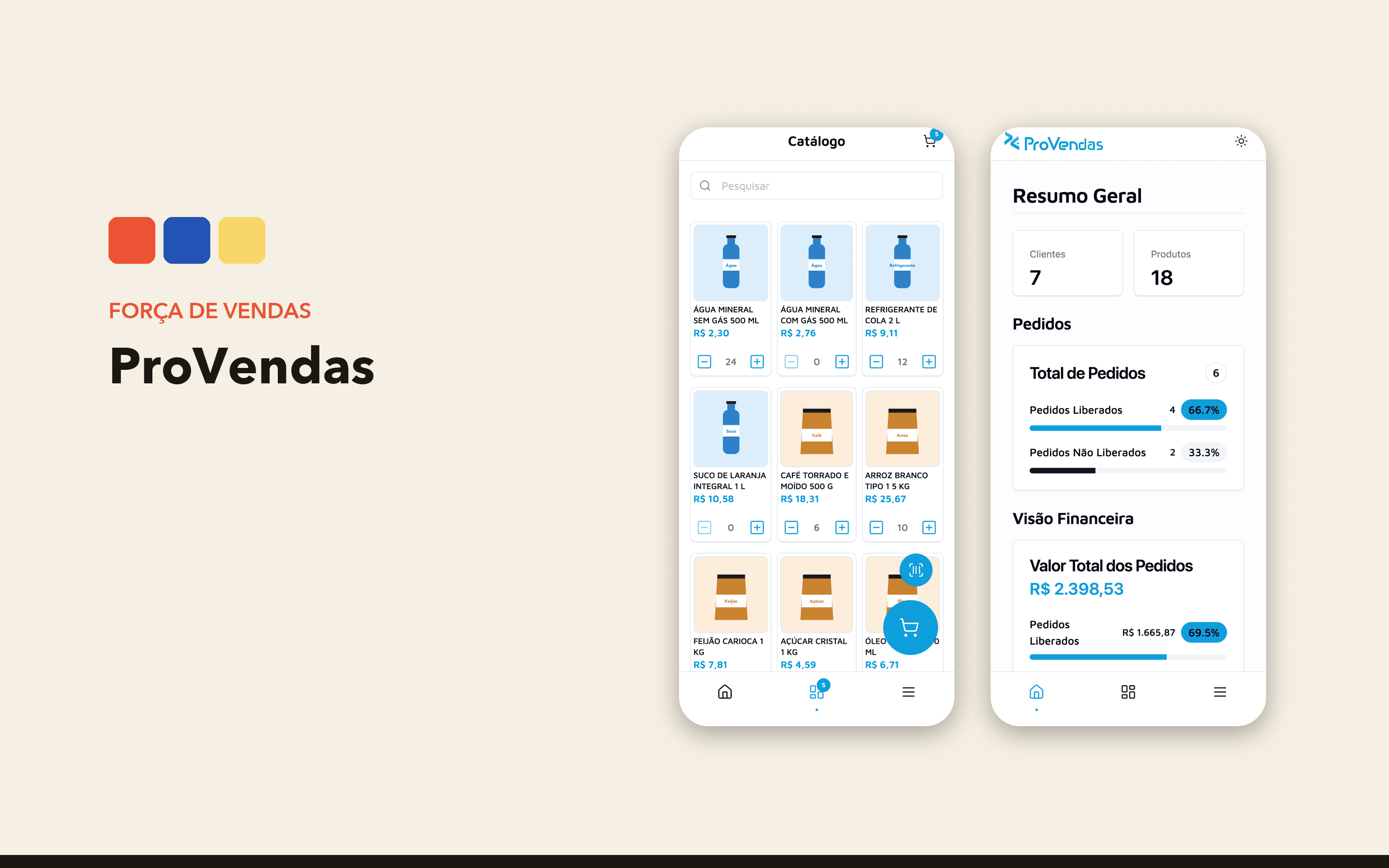
ProVendas is Progete's sales force app for iOS and Android. It isn't on the public stores: it's distributed only to Progete's client companies. The rep enters the company's domain, signs in, and the app downloads customers, products, price lists and the rest of the records it needs. From then on, catalog, search, cart and orders work offline.
The rep builds the cart from the catalog or by scanning barcodes with the camera, applies item or order discounts and saves the order on the device. They can also register customers, with CPF and CNPJ validation and postal code lookup, open and close cash registers, and share the PDF of the order, the invoice and the payment slip.
When the connection comes back, one tap syncs the pending orders, and the app shows what went through, what failed and why.
How it works
The app keeps on the device everything the sales rep needs to work offline: catalog, customers, cart and orders. Screens read from that local data, so they open instantly even without signal.
Every order created offline goes into a queue and is sent when the connection returns. The app checks the response order by order: accepted ones get the ERP number and rejected ones are flagged with the reason, so the rep can fix and resend them.
The app serves several companies, each with its own data and rules. The interface uses NativeWind and React Native Reusables, with lists tuned for large catalogs.
My role
I started the project and designed its architecture: the offline layer, the sync mechanism, order export and import, cash registers, PDFs, price lists, product registration and the barcode scanner. I also handle builds, releases and Expo upgrades. Filters, search and customer registration were built together with Vinícius, another Progete developer.
A closer look
Built with
- React Native
- Expo
- TypeScript
- NativeWind